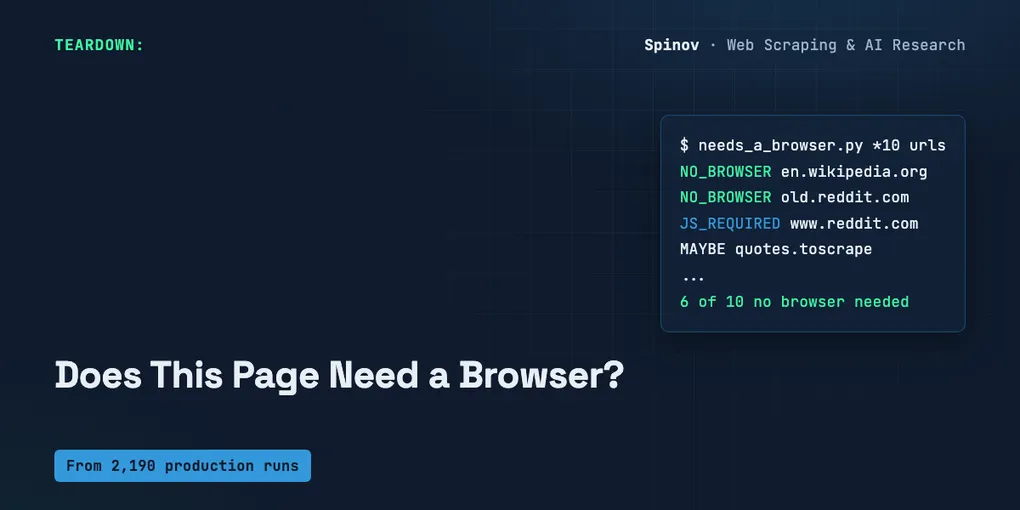
A 30-Line Probe That Tells You If a Page Needs a Browser
Half the “you don’t need a browser” takes on my feed this week are right. None of them tell you how to check. They tell you headless Chrome is expensive — true — and then leave you exactly where you started: guessing, per target, whether you can skip it.
You don’t have to guess. Whether a page needs a browser is a question you can answer from the raw HTTP response, before you launch anything. Here’s a 30-line probe that does it, and the real output from running it on ten named public URLs.
To be clear about scope: this is the decision you make before you start a job — should I launch Chrome at all for this URL — not how to survive headless once it’s running, not how much the raw HTML costs you in LLM tokens, not the proxy bandwidth bill. Just: browser, or no browser, on this target.
TL;DR
- A page needs a browser only if the data you want isn’t in the raw HTTP HTML. You can test that with
urllib, no headless required. - The probe reads three cheap signals from the raw response — visible-text size, an embedded JSON/hydration blob, and whether your target text literally appears — and votes
NO_BROWSER/JS_REQUIRED/MAYBE. - I ran it on 10 named public URLs. 6 of 10 returned their data without a browser. Two genuinely needed JS, two were borderline (
MAYBE— the probe says so on purpose). - It’s a heuristic. It will be wrong on scroll-loaded content, data behind auth, and anti-bot walls — the post is honest about exactly where.
Why “launch Chrome just in case” is a tax, not caution
The default a lot of scrapers reach for is browser-by-default: put Playwright or headless Chrome in front of every target because “it’s more reliable.” It feels safe. It is not free.
I run scrapers in production — 2,190 runs across 32 published actors, the Trustpilot one alone at 962 runs. Here’s the part that doesn’t show up in any tutorial: a headless instance costs memory, CPU, and cold-start time per run. Multiply that by hundreds of runs and the “just in case” browser is a standing line item — paid on every page, including the pages that would have handed you the data over plain HTTP in 80 milliseconds.
So the default is backwards. It should be HTTP-first, browser-on-fallback. And the thing that decides which path a URL takes shouldn’t be a vibe. It should be a measurement.
What actually tells you a page needs a browser
A page needs a browser when the data you want exists only after JavaScript runs. That’s it. So the probe asks the inverse question of the raw HTTP HTML: is the data already here?
Three cheap signals, all readable from the bytes urllib gives you:
- Visible-text size. Strip
<script>and<style>, strip tags, measure what’s left. A real article leaves tens of kilobytes of text. An empty SPA shell leaves almost nothing — the body is a<div id="root">and a bundle. - An embedded data blob. Lots of “JS-heavy” sites actually ship their data inside the first HTML response as JSON:
__NEXT_DATA__,__NUXT__,window.__INITIAL_STATE__, or a<script type="application/ld+json">. If that blob is there, you don’t need a browser — you need a JSON parser. - The needle. If you know the exact text you’re after (a price, a review snippet, a name), the cleanest test is: does that string appear in the raw HTML at all? Present → no browser. Absent → the browser is rendering it in.
The probe
Pure stdlib. No requests, no Selenium, no Playwright — the whole point is to decide before a browser exists. If you can run python3, you can run this.
import sys, re, gzip, argparse
from urllib.request import Request, urlopen

UA = "Mozilla/5.0 (X11; Linux x86_64) AppleWebKit/537.36 needs_a_browser/1.0"
HYDRATION = (b"__NEXT_DATA__", b"__NUXT__", b"__INITIAL_STATE__",
             b"__APOLLO_STATE__", b"window.__data", b'type="application/ld+json"',
             b'application/json"')

def fetch(url):
    req = Request(url, headers={"User-Agent": UA, "Accept-Encoding": "gzip"})
    with urlopen(req, timeout=20) as r:
        raw = r.read()
        if r.headers.get("Content-Encoding") == "gzip":
            raw = gzip.decompress(raw)
    return raw

def visible_text(html):
    s = re.sub(rb"(?is)<(script|style)\b.*?</\1>", b" ", html)  # drop scripts
    s = re.sub(rb"(?s)<[^>]+>", b" ", s)                        # drop tags
    return re.sub(rb"\s+", b" ", s).strip()

def probe(url, needle=None):
    html = fetch(url)
    text = visible_text(html)
    text_len = len(text)
    has_blob = any(m in html for m in HYDRATION)
    needle_hit = needle is not None and needle.lower().encode() in text.lower()

    if needle is not None:
        verdict = "NO_BROWSER" if needle_hit else "JS_REQUIRED"
    elif text_len < 500 and not has_blob:
        verdict = "JS_REQUIRED"            # empty shell, nothing to parse
    elif text_len >= 2000 or has_blob:
        verdict = "NO_BROWSER"             # data already in the raw HTML
    else:
        verdict = "MAYBE"                  # borderline — the probe says so
    return verdict, f"text={text_len}B blob={has_blob} needle={needle_hit}"
That’s the logic. The __main__ block just loops over the URLs you pass, tallies the verdicts, and prints X of N pages returned data without a browser. Full file at the end.
The thresholds (500, 2000) are deliberately blunt. They’re not a model fitted to anything — they’re “is there clearly nothing here” and “is there clearly a lot here,” with an honest gap in the middle called MAYBE. You can tune them. The point isn’t the constants, it’s that the question is answerable from bytes you already have.
The real run
I pointed it at ten public URLs. Mix of static content, a forum, a couple of deliberate JS controls, and two versions of the same site so you can see the probe flip. Here’s the actual output, copy-pasted, not cleaned up:
NO_BROWSER   https://en.wikipedia.org/wiki/Web_scraping
             text=30581B blob=True needle=False
NO_BROWSER   https://news.ycombinator.com/
             text=4050B blob=False needle=False
NO_BROWSER   https://old.reddit.com/r/webscraping/
             text=7185B blob=False needle=False
JS_REQUIRED  https://www.reddit.com/r/webscraping/
             text=37B blob=False needle=False
MAYBE        https://quotes.toscrape.com/
             text=1745B blob=False needle=False
JS_REQUIRED  https://quotes.toscrape.com/js/
             text=98B blob=False needle=False
NO_BROWSER   https://www.python.org/
             text=7064B blob=True needle=False
NO_BROWSER   https://github.com/scrapy/scrapy
             text=5204B blob=True needle=False
MAYBE        https://books.toscrape.com/
             text=1883B blob=False needle=False
NO_BROWSER   https://httpbin.org/html
             text=3596B blob=False needle=False

6 of 10 pages returned data without a browser  ::  {'NO_BROWSER': 6, 'JS_REQUIRED': 2, 'MAYBE': 2}
Six of ten. Most of them didn’t need a browser at all. (Re-run it and a live page like the HN front page will report a slightly different byte count — the story list changes — but the verdict holds.)
The two that did are the interesting ones, and they’re the same site twice. www.reddit.com/r/webscraping/ came back with 37 bytes of visible text — a shell. old.reddit.com/r/webscraping/ came back with 7,185 bytes of real post titles. Same content, same subreddit; the new front-end renders client-side, the old one ships HTML. If your target is new Reddit, you need a browser or the JSON API. If it’s old Reddit, you’d be launching Chrome to read text that was already sitting in the response. That single row is the whole argument for measuring instead of guessing.
The quotes.toscrape.com pair is the cleanest controlled version of the same thing: / ships the quotes as HTML, /js/ builds them in the browser. I’ll come back to why / showed up as MAYBE here and not NO_BROWSER — it’s the honest edge of this thing.
And Wikipedia, python.org, the Scrapy GitHub page — all blob=True. They look JavaScript-heavy in a browser, but the data is right there in the first response as JSON-LD or __NEXT_DATA__. Launching a browser for those is pure overhead.
When you know what you’re looking for, ask directly
The structural signals (text size, blob) are a guess about whether any useful data is present. If you know the specific thing you want, skip the guess. Run it with --needle:
$ python3 needs_a_browser.py "https://quotes.toscrape.com/" --needle "Einstein"
NO_BROWSER   https://quotes.toscrape.com/
             text=1745B blob=False needle=True

$ python3 needs_a_browser.py "https://quotes.toscrape.com/js/" --needle "Einstein"
JS_REQUIRED  https://quotes.toscrape.com/js/
             text=98B blob=False needle=False
Same site, opposite verdicts, and now there’s no ambiguity: the word “Einstein” is literally in the raw HTML of /, and literally absent from /js/ until JavaScript runs. Notice / was a MAYBE on structure alone (1,745 bytes — right in the borderline band) but a confident NO_BROWSER once I asked about the actual data. That’s the lesson: a needle beats a heuristic. When you can name the field you’re scraping, test for the field.
Where this probe is wrong
It’s a heuristic. I’d rather tell you its failure modes than let you find them in production.
- Scroll / lazy-loaded content. A page can ship a fat, healthy HTML head and still load the rows you want on scroll via XHR. The probe sees a big page, votes
NO_BROWSER, and misses that your specific rows arrive later. The needle catches this; the structural signals don’t. - Data behind auth or interaction. If the content only appears after a login or a click, an unauthenticated GET can’t see it. The probe will read the logged-out shell.
- Anti-bot walls. Some targets don’t even let a plain
urllibrequest finish. When I pointed this same probe at a Trustpilot review page from a datacenter IP, it didn’t returnNO_BROWSERorJS_REQUIRED— it threw anssl handshake timed out, twice, repeatably. The connection got cut at the TLS layer before any HTML came back. That’s not a failure of the probe; it’s the probe telling you something true. This target won’t talk to a bare HTTP client. You’re going to a real client (browser and/or residential proxy) regardless of what the HTML would have said — which, for a scraper I’ve run 962 times in production, is a useful thing to learn in one second instead of one debugging session. - The
MAYBEband is real. A page with ~1.5 KB of text and no blob is genuinely ambiguous from bytes alone. The probe doesn’t fake confidence there. TreatMAYBEas “fetch one sample with a browser, look, then decide for the batch” — not as a verdict.
That last one is the design choice I care about most. A probe that always answers yes or no is lying part of the time. This one tells you when it doesn’t know.
What I’d change on Monday
Flip the default. Don’t reach for the browser first; reach for the probe first.
- Probe the target before you write the scraper. One run tells you which transport you’re building for. It’s the cheapest decision in the whole job, and you make it before you’ve written a line of extraction code.
- Prefer the needle to the structural guess. If you know the price, the review text, the SKU you’re after, test for that. The structural signals are a fallback for when you don’t.
- Route
MAYBEandERRORto a human-eyeballed sample, not to a blanket “use Chrome.” Launching a browser on every ambiguous URL is just the browser-by-default tax wearing a disguise.
I’ll be straight about the limit one more time: 6-of-10 is the result on these ten URLs, not a law about the web. Point the probe at your own targets and you’ll get your own number — that’s the entire idea. The value isn’t my six. It’s that you can compute yours in the time it takes to read this paragraph, instead of paying for a Chrome instance on every page that never needed one.
Here’s the open question I haven’t solved cleanly: the scroll/lazy-load case. The needle catches it if I know a value that’s only on a later page of results — but for an open-ended crawl where I don’t yet know what’s there, structural signals can’t distinguish “all the data is here” from “the first screen is here and the rest is one XHR away.” If you’ve found a cheap, no-browser way to detect lazy-loading from the raw response, I’d genuinely like to see it.
Full script (needs_a_browser.py, stdlib only):
#!/usr/bin/env python3
"""needs_a_browser.py — decide if a page needs a browser BEFORE you launch one.
Usage: python3 needs_a_browser.py URL [URL ...] --needle "review"
"""
import sys, re, gzip, argparse
from urllib.request import Request, urlopen

UA = "Mozilla/5.0 (X11; Linux x86_64) AppleWebKit/537.36 needs_a_browser/1.0"
HYDRATION = (b"__NEXT_DATA__", b"__NUXT__", b"__INITIAL_STATE__",
             b"__APOLLO_STATE__", b"window.__data", b'type="application/ld+json"',
             b'application/json"')

def fetch(url):
    req = Request(url, headers={"User-Agent": UA, "Accept-Encoding": "gzip"})
    with urlopen(req, timeout=20) as r:
        raw = r.read()
        if r.headers.get("Content-Encoding") == "gzip":
            raw = gzip.decompress(raw)
    return raw

def visible_text(html):
    s = re.sub(rb"(?is)<(script|style)\b.*?</\1>", b" ", html)
    s = re.sub(rb"(?s)<[^>]+>", b" ", s)
    return re.sub(rb"\s+", b" ", s).strip()

def probe(url, needle=None):
    html = fetch(url)
    text = visible_text(html)
    text_len = len(text)
    has_blob = any(m in html for m in HYDRATION)
    needle_hit = needle is not None and needle.lower().encode() in text.lower()
    if needle is not None:
        verdict = "NO_BROWSER" if needle_hit else "JS_REQUIRED"
    elif text_len < 500 and not has_blob:
        verdict = "JS_REQUIRED"
    elif text_len >= 2000 or has_blob:
        verdict = "NO_BROWSER"
    else:
        verdict = "MAYBE"
    return verdict, f"text={text_len}B blob={has_blob} needle={needle_hit}"

if __name__ == "__main__":
    ap = argparse.ArgumentParser()
    ap.add_argument("urls", nargs="+")
    ap.add_argument("--needle", default=None)
    a = ap.parse_args()
    tally = {}
    for u in a.urls:
        try:
            v, why = probe(u, a.needle)
        except Exception as e:
            v, why = "ERROR", f"{type(e).__name__}: {e}"
        tally[v] = tally.get(v, 0) + 1
        print(f"{v:<12} {u}\n             {why}")
    n = len(a.urls)
    print(f"\n{tally.get('NO_BROWSER', 0)} of {n} pages returned data without a browser  ::  {tally}")
Written by Aleksey Spinov. I write up the cost and failure math from real production scraping — 2,190 runs and counting. Follow for the next one, and if you’ve got a clean way to detect lazy-loaded data without a browser, drop it in the comments — I read every one.
AI disclosure: drafted with AI assistance; the probe, the URL list, and every verdict in this post were produced and verified by me. The Python here was run locally (stdlib, no third-party deps); the output shown is the real run, not a mock-up.